How to Improve LLM Prompts with Descriptive XML Tags
- Jowita Chmura
- AI Brand Visibility
- Published
- Last updated
- 04 Mins read
Descriptive XML tags can make long prompts easier for language models and humans to interpret. They give each part of a request a clear role: instructions stay separate from source material, constraints stay separate from examples, and the requested output stays separate from everything else.
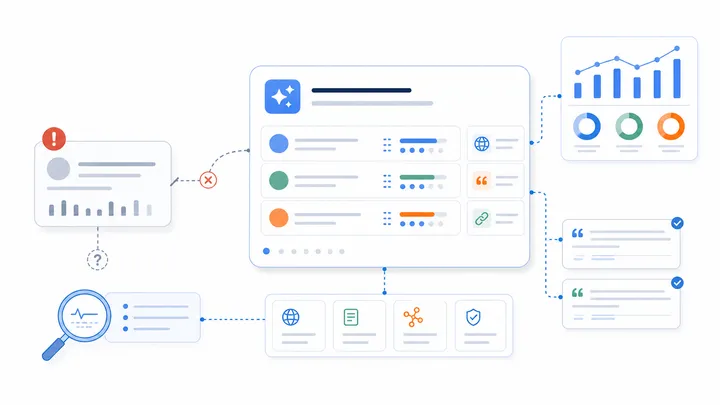
This is useful in SEO and generative engine optimization workflows because the input often mixes page copy, competitor evidence, search intent, brand rules, and reporting requirements. Without structure, an LLM may treat background material as an instruction or overlook an important constraint.
XML tags are not a ranking factor and adding them to a prompt does not make a web page rank. Their value is operational: they can make audits, briefs, comparisons, and agent-generated fixes more consistent.
What descriptive XML tags do in a prompt
A descriptive tag names the purpose of the content it contains. Compare a large block of unlabeled text with a prompt that separates the same material into <task>, <brand_context>, <evidence>, <constraints>, and <output_format> sections.
<task>
Evaluate why the brand is absent from the supplied AI answers.
</task>

<brand_context>
The company sells reporting software to European SEO agencies.
</brand_context>

<evidence>
Paste the tested prompts, AI answers, cited sources, and competitor mentions here.
</evidence>

<constraints>
Do not invent product features, prices, customer claims, or citation data.
</constraints>

<output_format>
Return the findings, evidence, confidence level, and prioritized fixes.
</output_format>
The labels help the model distinguish what it should do from what it should analyze. They also help a reviewer scan the prompt and notice missing inputs before running it.
A practical structure for SEO and GEO prompts
The best tags describe the job rather than the data type. <competitor_evidence> is more useful than <text_2>, and <claims_that_require_verification> is more useful than <notes>.
For most AI visibility tasks, start with these sections:
<task>: the decision or deliverable you need;<brand_context>: the company, offer, audience, market, and language;<buyer_questions>: the prompts or search intents being evaluated;<observed_answers>: the actual AI outputs, mentions, citations, and dates;<source_material>: approved page copy or other evidence the model may use;<constraints>: facts the model must not invent and rules it must follow;<evaluation_criteria>: the standard used to judge accuracy or visibility;<output_format>: the exact sections, fields, or table the response should contain.
You do not need every tag for every request. Use the smallest structure that removes ambiguity. A five-line editing request does not need a complex schema; a multilingual competitor audit usually does.
How to build the prompt step by step
1. State one primary task
Put the main outcome in <task>. If the prompt asks for an audit, a content brief, a rewritten page, and an executive report at the same time, split the work into stages. One clear deliverable makes the result easier to validate.
2. Separate facts from instructions
Place page copy, reports, citations, and AI answers inside evidence or source tags. This reduces the chance that a sentence inside the supplied material will be interpreted as a new instruction.
3. Make uncertainty explicit
Tell the model what to do when evidence is incomplete. A useful constraint is: report unknown facts as unknown, identify the missing source, and do not fill the gap with a plausible assumption.
4. Define the output before asking for analysis
Specify whether you need a Markdown table, a prioritized backlog, a page brief, or a short management summary. Include the fields that matter, such as evidence, likely cause, impact, confidence, recommended owner, and acceptance criteria.
5. Test with a difficult example
Run the prompt on an input that includes conflicting claims, weak evidence, and an incomplete answer. Check whether the model respects the boundaries, cites the supplied evidence, and marks uncertainty correctly. A prompt that works only on clean inputs is not ready for monitoring or automation.
Common mistakes to avoid
Do not use decorative tags that add length without clarifying meaning. Avoid inconsistent pairs, deeply nested structures, and several labels for the same concept. Every opening tag should have a closing tag, and the name should remain stable across repeated runs.
Do not hide the most important instruction in a large <context> block. The task, constraints, and required output should be easy to find.
Do not assume structure eliminates the need for evidence. XML tags can organize bad inputs just as neatly as good ones. The model still needs current pages, captured AI answers, cited sources, test dates, and clear brand facts.
Finally, do not publish model output without review. Competitor claims, pricing, customer proof, legal statements, and technical recommendations still require verification.
Using tagged prompts in an agent workflow
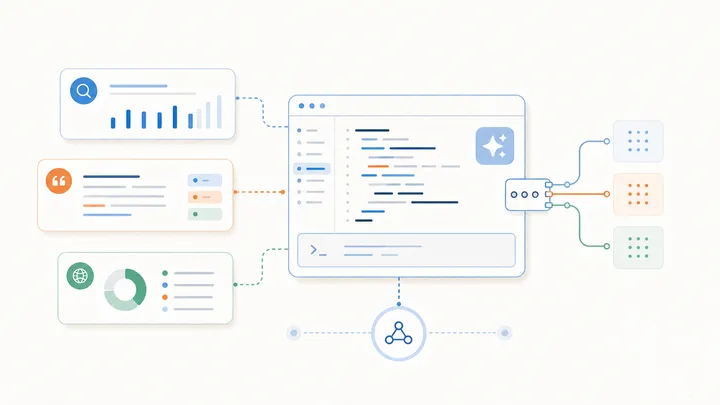
Tagged prompts become especially useful when a coding or content agent receives data from several tools. One section can contain an AI visibility report, another the relevant repository files, and another the acceptance criteria for the change.
The output can then become a scoped task instead of a vague recommendation. For example, an agent can receive the missing buyer question, the competitors that appeared, the sources the answer cited, the page that should be improved, and the test required after editing.
See the AI visibility prompt library for reusable starting points. The AI Brand Scan workflow for Codex and Claude Code shows how structured findings can move from a scan into implementation. For the measurement context, read SEO vs generative engine optimization.
How to evaluate whether the structure helps
Use the same input to compare the tagged prompt with the previous version. Measure whether the output follows the requested format, distinguishes evidence from assumptions, includes fewer unsupported claims, and produces priorities that reviewers agree with.
For recurring work, save a small evaluation set and rerun it when the prompt changes. Prompt monitoring should evaluate output quality, not just whether the model returned a response.
Descriptive XML tags are a simple way to make complex prompts more legible and testable. The improvement comes from clearer boundaries and better evidence discipline—not from the syntax alone.