Turn an AI Visibility Report Into a Reviewed Fix With JuicyAgents
- Jowita Chmura
- Ai brand visibility
- Published
- 05 Mins read
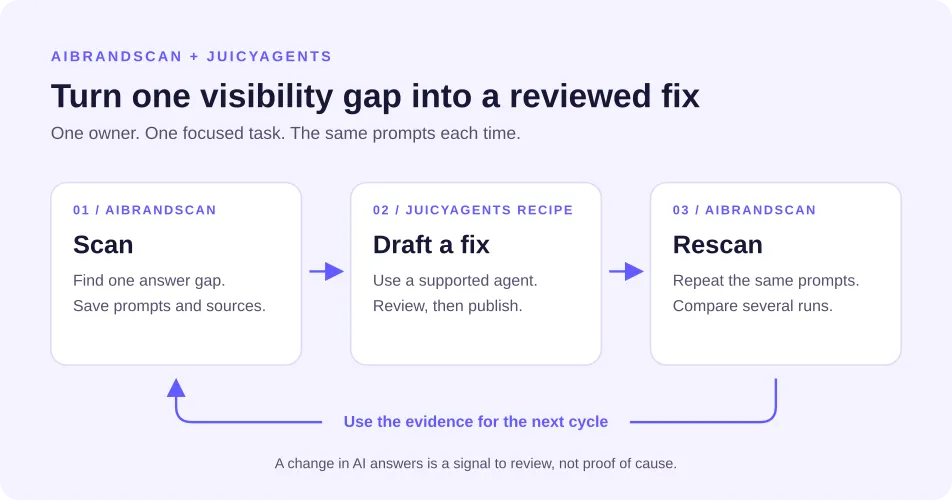
Your AI visibility report shows an outdated price or a competitor appearing where your brand is missing. What should your team do next?
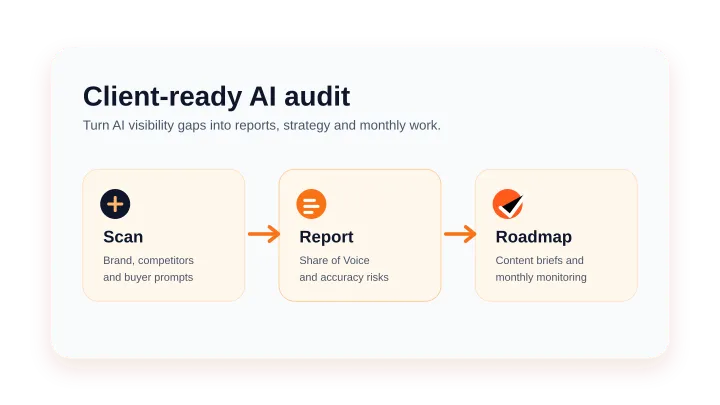
Start with one finding. Check the evidence, give an agent a clear task, and review its proposed change. After publishing an approved update, compare later scans using the same prompts and AI answer sources.
AIBrandScan provides the report and Action Plan. JuicyAgents provides recipes and skills that can help you turn a finding into a focused task in your chosen AI tool.
Disclosure: JuicyAgents is a sister project of AIBrandScan. Both are operated by Maciej Chmura IdeaUnlock.
This guide follows one example: an AI answer that repeats an old price. You will see what evidence to collect, what to ask the agent, and how to check the result.
Choose one finding worth investigating
Start with a finding that could affect a buying decision. An incorrect price is a clear candidate. A missing mention may also matter, but it needs investigation before you decide what to change.
Use the report’s Action Plan to choose a starting point. Then define one output: a corrected paragraph, a comparison evidence table, or a page review.
| What the scan shows | Focused agent task | Starting point |
|---|---|---|
| An answer repeats outdated product information | Compare the claim with approved facts and propose an update if a page you control is wrong | Plan and review an existing content update |
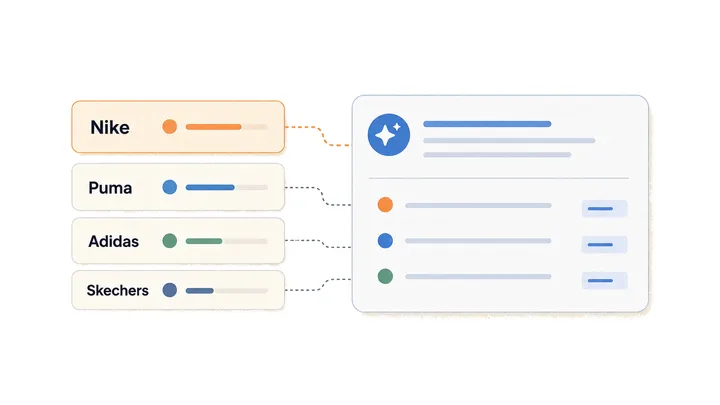
| Competitors appear in comparison or alternatives answers | Compare supplied, dated evidence to help decide whether a useful comparison page is justified | Compare competitor evidence for one decision |
| Your page receives few or no citations in the tested answers | Review the page and identify supported findings and questions that need more evidence | SEO page review skill |
A missing citation does not explain why a page was overlooked. A competitor mention does not automatically mean you need another comparison page. The task should test a possible response before producing content.
Choose a recipe and prepare the evidence
JuicyAgents recipes provide instructions for setting up an agent workflow. Skills provide reusable instructions for particular tasks. Check the selected page for its supported tools, required inputs, and setup steps.
You run those instructions in a compatible AI tool. Choose one recipe and try its sample before adding business material. For your first task, run it on request so you can review each step.
You can supply the relevant report findings directly. Include:
- The exact prompt and answer.
- The scan date, language, market, and AI answer source.
- Available citations, including whether they support the specific claim.
- Current approved product facts.
- The page text or other material you want reviewed.
- The required output and the person who will approve it.
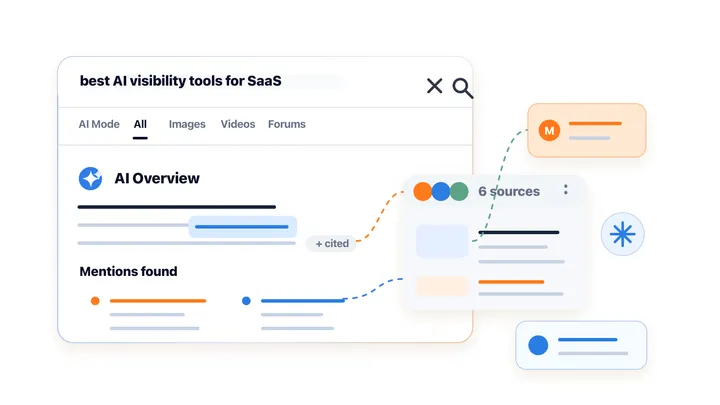
Do not assume every citation attached to an answer supports every claim in it. If the connection is unclear, record that uncertainty.
Example: investigate an outdated price
The following example is illustrative, not a customer result.
Suppose a tested answer says your product starts at $19 per month. Your approved pricing says $29. The report flags the difference, and your team wants to understand whether a content update is needed.
1. Check where an edit would help
Compare the claim with your current pricing page and any relevant cited material. If an older page you control still says $19, it is a candidate for an update.
If your pages already show $29, do not rewrite them just to produce a fix. Check whether an external source is outdated or whether there is enough evidence to identify a useful next step.
2. Give the agent a bounded task
For a page you control, use the content refresh recipe’s setup guide. Add the following task brief, with the evidence filled in. The brief defines the work; the recipe provides the platform-specific setup.
Review one accuracy issue from our AI visibility report.

Evidence:
- Tested prompt: [exact prompt]
- AI answer: [exact answer]
- Scan date and AI answer source: [details]
- Language and market: [details]
- Available citations: [links and relevant excerpts]
- Approved product facts: [current facts and source date]
- Page to review: [URL and current text]

Task:
1. Compare the answer and page text with the approved facts.
2. Identify any supported conflict. Keep uncertain claims separate.
3. If the page needs an update, draft the smallest useful edit.
4. If no edit is justified, explain why and identify missing evidence.

Return:
- The finding and supporting evidence.
- Original text and proposed replacement, if needed.
- Questions that need a human answer.
- A short review checklist.

Do not invent facts, change unrelated content, or publish anything.
3. Review the proposed change
If the supplied page contains the old price, a useful output shows the original sentence, its proposed replacement, and the approved pricing source. The reviewer should be able to check the change without repeating the whole investigation.
Confirm the amount, currency, billing period, and any conditions. Check linked pages for contradictions. Review the exact version that will go live, then record who approved it and when it was published.
Keep publishing under your team’s control. A prompt that says “do not publish” does not remove permissions the agent already has in its connected tools.
Compare later scans using the same baseline
After publishing, compare later scans with the original finding. Keep the prompts, language, market, and AI answer sources consistent. Record any changes to that setup before drawing conclusions.
For the pricing example, check whether the incorrect price appears again, whether the correct price appears, and whether the answer cites different material. If the answer no longer discusses price, record that separately from a correction.
Compare several runs. One improved answer is an observation, not proof that your edit caused the change. AI answers may change for reasons outside your control, and a useful website correction may not appear in the next scan.
Weekly Monitoring provides a regular review cycle. Keep changes to the prompt baseline explicit so you can distinguish changes in the answers from changes in what you tested.
Track mentions, citations, and factual accuracy separately. Our guide to AI search visibility vs SEO rankings explains why page rankings alone do not answer these questions.
Start with one reviewed change
Choose one finding, one owner, and one clear output. Use a JuicyAgents recipe to guide the agent’s work, check the evidence, and publish only an approved change. Keep “no edit needed” as a valid result.
The first goal is a useful, evidence-backed improvement you can verify. Later scans help you see whether the tested answers changed too.
Public signup currently leads to the AIBrandScan waitlist. You can use the task brief above with report evidence you already have.
FAQ
Do I need to code to use a recipe?
It depends on the recipe and its supported tools. Check its requirements before starting. A task that produces a text draft may need a different setup from one that edits website files.
Do I need a live connection between AIBrandScan and my agent?
For the workflow in this guide, you can supply the report evidence and page text directly. Include the scan date and AI answer source so the agent works from a clearly identified result.
Will correcting a page make AI recommend my brand?
There is no guarantee. A correction can make your own information more accurate. Later scans show whether the tested answers changed, but they do not prove that your edit caused the change.